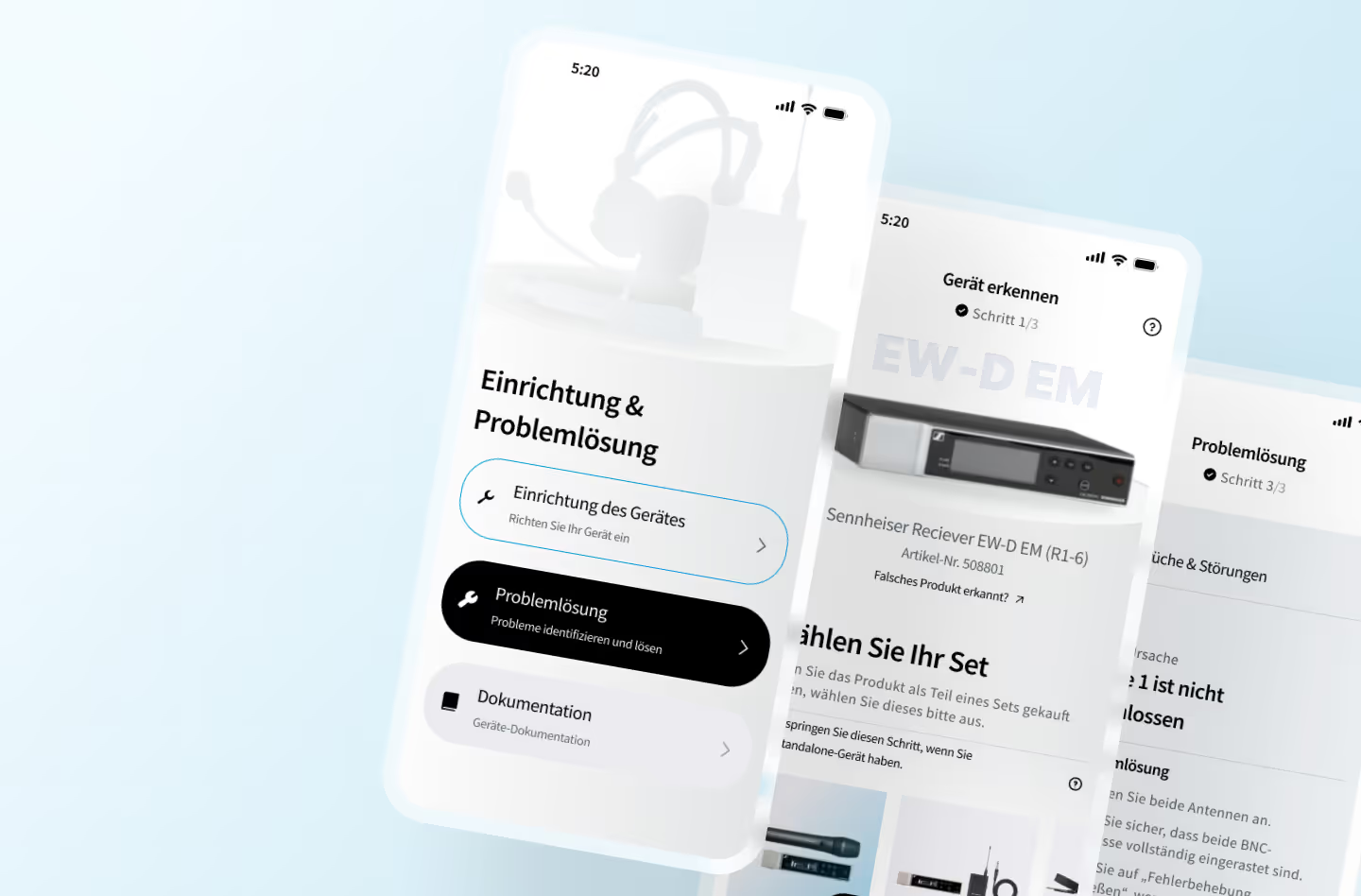
The client conducted internal user research and shared the findings with us. They aimed to reduce high return rates for certain products, assuming installation and problem-identification difficulties were key factors.
Our goal was to test whether AR-based identification and troubleshooting could simplify and speed up the process while improving the user experience.
We aimed to recruit users who closely matched the client’s target audience. To begin, our research team sent a survey to potential participants—hobbyist and part-time musicians or sound engineers—and selected 5–7 for interviews.
The interviews had two parts:
🎯 general questions about their setup and troubleshooting habits
🎯 an interactive prototype usability test where participants completed moderator-guided tasks while thinking aloud.
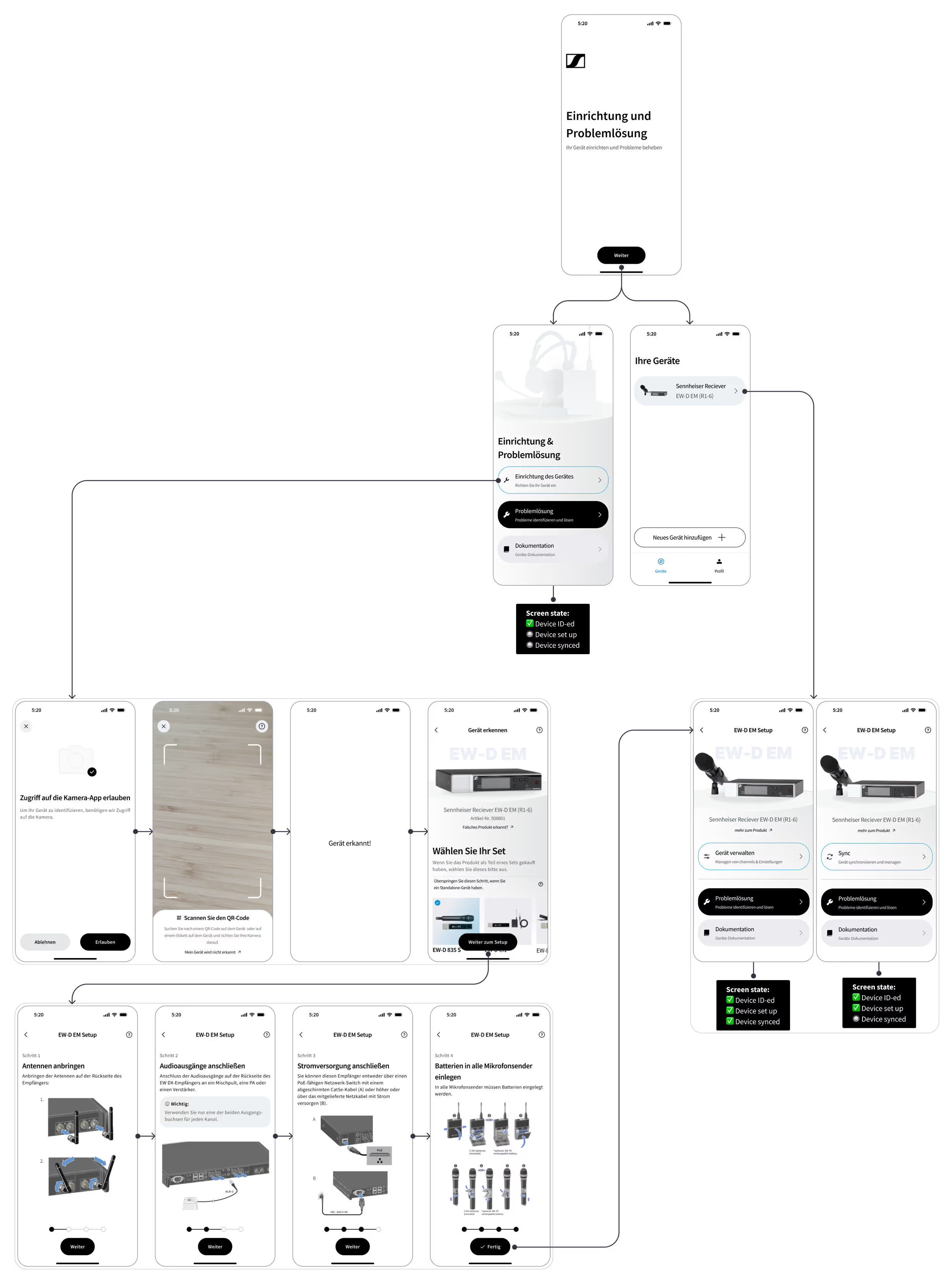
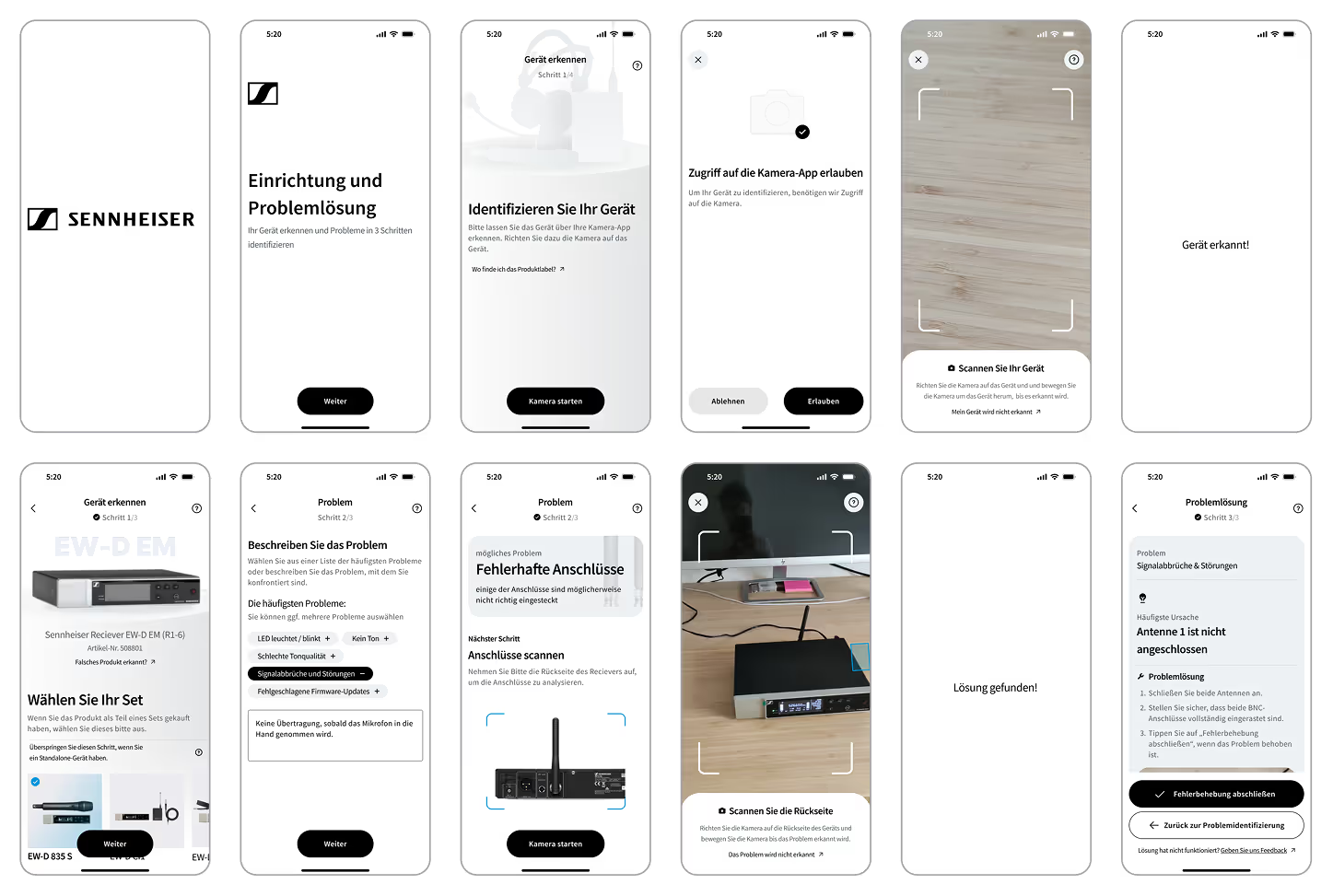
We aimed to validate the client’s hypothesis that AI-powered camera recognition could identify a device, detect issues, and suggest troubleshooting steps. The concept was for users to simply point their phone at the device for instant diagnostics. Before creating the user-testing prototype, our data team checked technical feasibility by annotating images of the client’s receiver device. Once viability was confirmed, I designed a high-fidelity prototype for testing.
What if it is too dark to identify the device reliably?
It might be faster and easier to just scan the QR code instead of the device itself
Scanning the QR code on the device or the packaging would be sufficient
It would be helpful to have the AR camera recognition assistant during the first initial device setup that can walk me through all the steps
It would be helpful to have a single app to manage my devices, troubleshoot & access manuals
Straightforward process, user-friendly flow
It is clearly communicated what is happening at every step of the process
%20v2.gif)
%20v2.gif)
The process feels cumbersome compared to just entering the information or picking from a list of problems
What if the light conditions at the event are not accomodating and the recognition does not work?
At an event things need to go quickly and one might not have the time to run to the device to scan it if one is away
Replace scanning via camera with a simple text or tag based input
Have the manual available in the app for my devices
Simple-to-use and intuitive flow
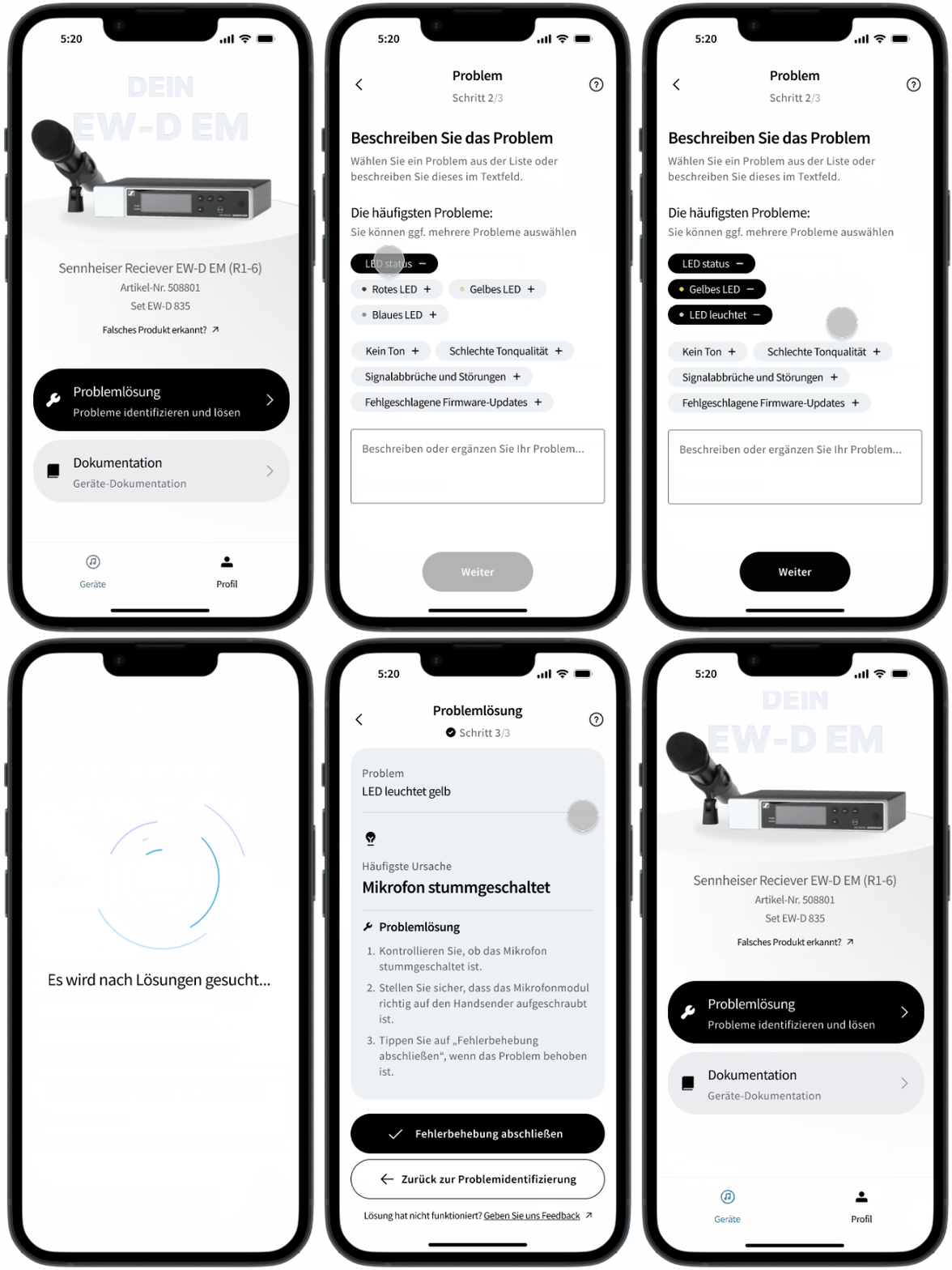
During the user test the general sentiment was that troubleshooting via AR takes too long and may not be the best way to go in low-light environments, such as backstage or at events.
Most users we interviewed said they would prefer a more classic approach and would rather input the issue via a description field assisted by tags one can pick from and narrow down the issue.
Based on this, we recommended the client to focus on an easier, cheaper and more robust solution for the troubleshooting flow.
The recurring sentiment duriung our test interviews was that the issue recognition via the camera is not providing a better or faster experience compared to simple issue selection via a menu or description via text or voice input.
To justify the effort to enable recognition for all devices in various light conditions should bring significant improvement to the experience, which we did not validate during our test sessions.